Spreadsheet vs CRM: When a Sales Team Should Switch
A spreadsheet is genuinely fine for tracking leads until four specific things break. Here is exactly what those four are, the five-second test that tells you which side of the line you are on, and when not to switch.
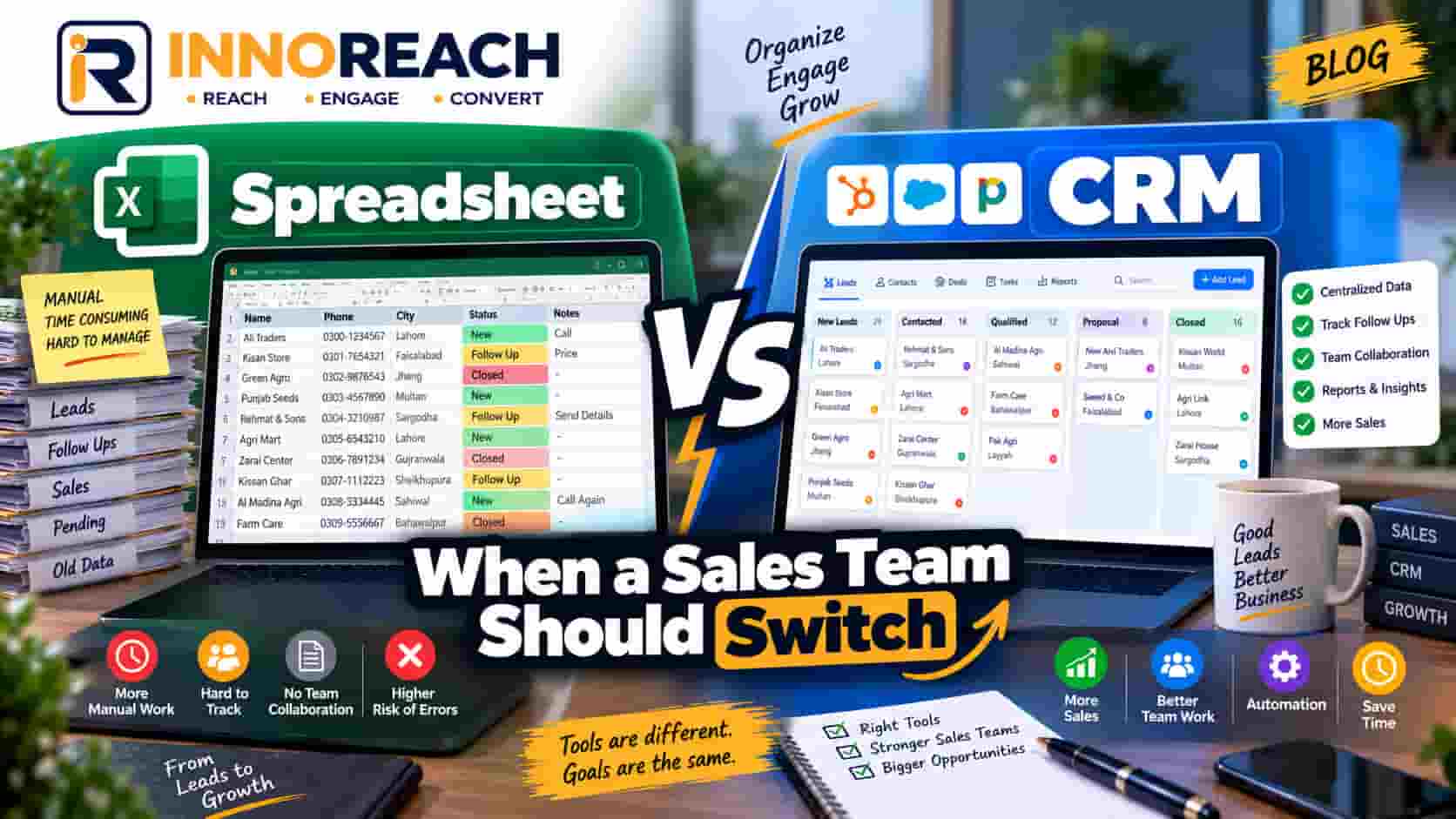
There is a certain kind of article that treats using a spreadsheet for sales as a sign of amateurism. It is not. A spreadsheet is a good tool, it is free, and plenty of real businesses run on one for years without any harm done.
But it does break, and it breaks in four specific, predictable ways. Knowing what they are is more useful than a general nudge to modernise, because it lets you tell whether you have hit them yet.
What a spreadsheet genuinely does well
Worth being fair before criticising.
It is free and instant. No trial, no seat licence, no sign-up. You can have a lead list open in thirty seconds.
Everyone already knows it. Nobody needs training on Excel or Google Sheets. When you hire a rep in Faisalabad on Monday, they can use your sheet on Monday. There is no CRM in the world you can say that about.
It bends to any shape. Want a column for "shopkeeper's brother-in-law knows our client"? Add it. A CRM makes you fight its data model; a sheet does not.
It is easy to see all at once. Two hundred rows on a screen is a genuinely useful view, and many CRMs are worse at it than Excel.
If you are one person, working through a list of 150 pharmacies, closing on the first or second call — stay on the sheet. The rest of this article is not about you yet.
The four failure points
These do not arrive gradually. Each one arrives on a particular day, usually because the team grew or the sales cycle lengthened.
1. Nobody knows who to call today
This is the first and the most expensive.
A sheet of 400 leads with a status column does not tell you what to do this morning. It tells you what happened in the past. So the rep opens it, scrolls, sees a mix of "called", "interested", "no answer", "follow up", and makes a judgement call about where to start. That judgement is different every day, and on a bad day it defaults to starting at row 2 again.
The leads that suffer are the ones in the middle — already contacted once, not yet dead. Those are the deals. They quietly rot because nothing surfaces them.
2. No contact history, so you repeat yourself on call three
A sheet has one row per lead and one cell per column. When you call a business a third time, what you need is the record of calls one and two: what was said, what they objected to, what you promised to send.
What the sheet gives you is a "notes" cell containing called 12/3 not interested maybe later — called again asked for whatsapp, if you are lucky, and nothing at all if you were in a hurry. Nothing destroys a deal faster than "sorry, who is this?" on the third call — except being the one who has to ask it.
3. Two reps overwrite each other
The moment there are two people, this starts. Either you have two copies of the file, which diverge within a day, or you have one shared file, and one rep's edit lands on top of another's without either noticing.
The visible symptom is duplicate calls. A shop owner in Gujranwala gets rung by two people from the same company in one week, and now you look disorganised in front of exactly the person you were trying to impress.
The invisible symptom is worse: nobody owns anything. When every lead belongs to the sheet rather than to a rep, the follow-ups nobody explicitly took on simply do not happen.
4. No next-touch date, so there is no next touch
This is the one that costs the most money and gets noticed least.
Most deals die of silence, not rejection. The owner said "call me after Eid" and meant it. Nobody wrote a date. Eid passed. Nobody called.
A sheet can hold a date column, and some people maintain one well. But nothing reminds you, nothing sorts by it automatically every morning, and nothing complains when a live lead has no date at all. The discipline has to come entirely from the person, every day, for months. That is a lot to ask, and in our experience it holds for about three weeks.
There is more on the timing itself in our piece on follow-up cadence.
The actual test
Forget lead counts and team sizes. Here is the test:
Can you answer "who do I call this morning?" in five seconds, without scrolling and without thinking?
If yes, your spreadsheet is working. Leave it alone.
If you find yourself scrolling, re-reading a notes column, or deciding fresh each day where to start, that is the failure. It does not get better with a tidier sheet, more colour coding or a stricter naming convention for statuses. It is structural: a spreadsheet stores what happened, and a sales process needs to be told what to do next.
A second test, for teams: ask two reps who owns a particular lead and see if they give the same answer.
What a small sales CRM needs, and nothing more
This is where most switches go wrong. People move from a sheet to an enterprise CRM with forecasting, custom objects, workflow automation and a permissions matrix, use about four per cent of it, and quietly drift back to a sheet within two months. The CRM was not too expensive; it was too big.
For a small team doing local outbound, the list is genuinely short:
- Five pipeline stages. New, contacted, interested, won, dead. Five. Anyone proposing eleven stages is designing for a report, not for a rep.
- A next-touch date on every live lead. The single most valuable field in the entire system. A live lead with no next date is a lead you have already lost and not yet noticed.
- A call log attached to the business. Every call, note and status change stays with the lead it belongs to, so call three starts where call two ended.
- Per-rep lists. Each rep sees their own leads, the owner sees everything. This is what stops duplicate calls, and it is why a shared sheet cannot solve the problem no matter how carefully it is managed.
- It works on a phone. A rep outside a shop in a wholesale market is not opening a laptop. Our Android app works offline for this reason — signal in those markets is not something to build a process on — and syncs when the phone gets a connection.
That is the whole requirement. Our lead CRM is built to that list and deliberately not much beyond it, with leads arriving from a Maps search already in the pipeline rather than as a download. Organisation accounts and per-rep licences are covered under teams.
If a CRM you are evaluating has a feature list ten times this long, that is not automatically bad — but ask who is going to use each one on a Tuesday afternoon.
Migrating without drama
The dread here is losing data. In practice the migration is small, because most of what is in your sheet does not need to move.
Move the live leads only. Anything marked dead, wrong number or not interested stays behind. In most sheets we have seen, that is more than half the rows. You are not deleting them — the old sheet stays.
Clean the phone numbers first. This is the one job worth doing properly. Maps-sourced numbers come in whatever format the business typed them: 0300-1234567, 042 35xxxxx, +92 300 1234567. Convert to international form with no spaces or dashes — +923001234567 — or tap-to-call and WhatsApp links will not work.
Set a next-touch date on every live lead as you import. Even a guessed date beats none. This is the point where the pipeline actually starts working, and skipping it means you have moved your problem rather than solved it.
Keep the old sheet read-only for a month. Rename it ARCHIVE — do not edit. Nobody trusts a migration until they have not needed the old file for four weeks.
Do not migrate everyone at once. One rep runs the new system for a week while the others carry on. If it does not hold up, you have lost a week, not a quarter.
A realistic timeline for a sheet of a few hundred leads is an afternoon, most of it spent on phone numbers.
When not to switch
Some honest cases where you should stay put.
You are one person with a short list. Under about 200 leads, one head, no handovers — the overhead of any system exceeds what it saves.
Your sale is one call. If you either close or lose on the first conversation, there is no follow-up to track and the whole argument above collapses. A sheet is enough, or you may not even need that.
Your process is still changing weekly. If you are still working out who you sell to and what you say, keep the flexible tool. A CRM makes a stable process faster; it does not invent one. Get the process right on a sheet, then move it.
Nobody will use it. A CRM that reps do not update is worse than a sheet, because now the data is wrong and it is somewhere nobody looks. If you cannot get the team to log calls, fix that before buying anything — the tool is not the obstacle.
The short version
A spreadsheet is fine until you cannot say who to call this morning in five seconds, or until a second person starts editing it. Those two moments are the line.
When you cross it, keep the replacement small: five stages, a next-touch date, a call log, per-rep lists, and something that works on a phone. That is what actually changes the numbers. Everything else is a feature you will pay for and not open.
If your leads are coming from Google Maps in the first place, they can land in a pipeline instead of a download folder — see how the lead CRM works, or start with 25 free leads and try it on your own list. Start free.
Frequently asked questions
For one person working under about 200 leads, usually yes. It is free, instant and everybody knows how to use it. It stops being good enough when more than one person edits it, when you need contact history across several calls, or when you cannot say in five seconds who you should be calling this morning.
The clearest trigger is the second rep. One person can hold a pipeline in their head with a sheet as backup; two people cannot, and the failures show up quickly as duplicate calls and overwritten rows. The other trigger is repeat contact — if most deals take three or more touches, a sheet will lose the history.
Less than most CRMs sell. Five pipeline stages, a next-touch date on every live lead, a call log attached to the business, per-rep lists, and access on a phone. Everything beyond that is usually bought and never used.
Not if you migrate the live leads only. Export to CSV, clean the phone numbers into international format, import, and keep the old sheet as a read-only archive for a month. Dead and unqualified leads do not need to come across at all, and most sheets are largely those.
When you are one person with a short list, when your sales cycle is a single call with no follow-up, or when your process is still changing every week. A CRM makes a stable process faster; it does not create one, and switching mid-experiment usually just adds admin.
Arshad Ali
Innobrains Technologies — we build InnoReach, and we sell with it too.
Keep reading

Managing a Field Sales Team With a Mobile CRM
A field manager cannot see where reps went, what was said, or which leads are going cold. Paper day-books and WhatsApp groups do not fix it. Here is what does.
22 Sep 2026 · 11 min
How to Find Businesses Without a Website in Any City
No website is the cleanest qualifying signal in local B2B — it is visible on the listing, it is not a guess, and it writes your opening line for you. Here is how to filter for it properly.
23 Sep 2026 · 9 min
Google Maps Scraper With a Built-In CRM
Most lead-gen effort dies in the handoff between the export and the phone call. A buyer's guide to scraper plus CRM, scraper plus spreadsheet, and one tool doing both.
21 Sep 2026 · 9 min