Google Maps Scraper vs Places API: Which Should You Use?
An honest comparison of browser-based Google Maps scraping and Google's official Places API — what each costs, what fields each returns, and which one your situation calls for.
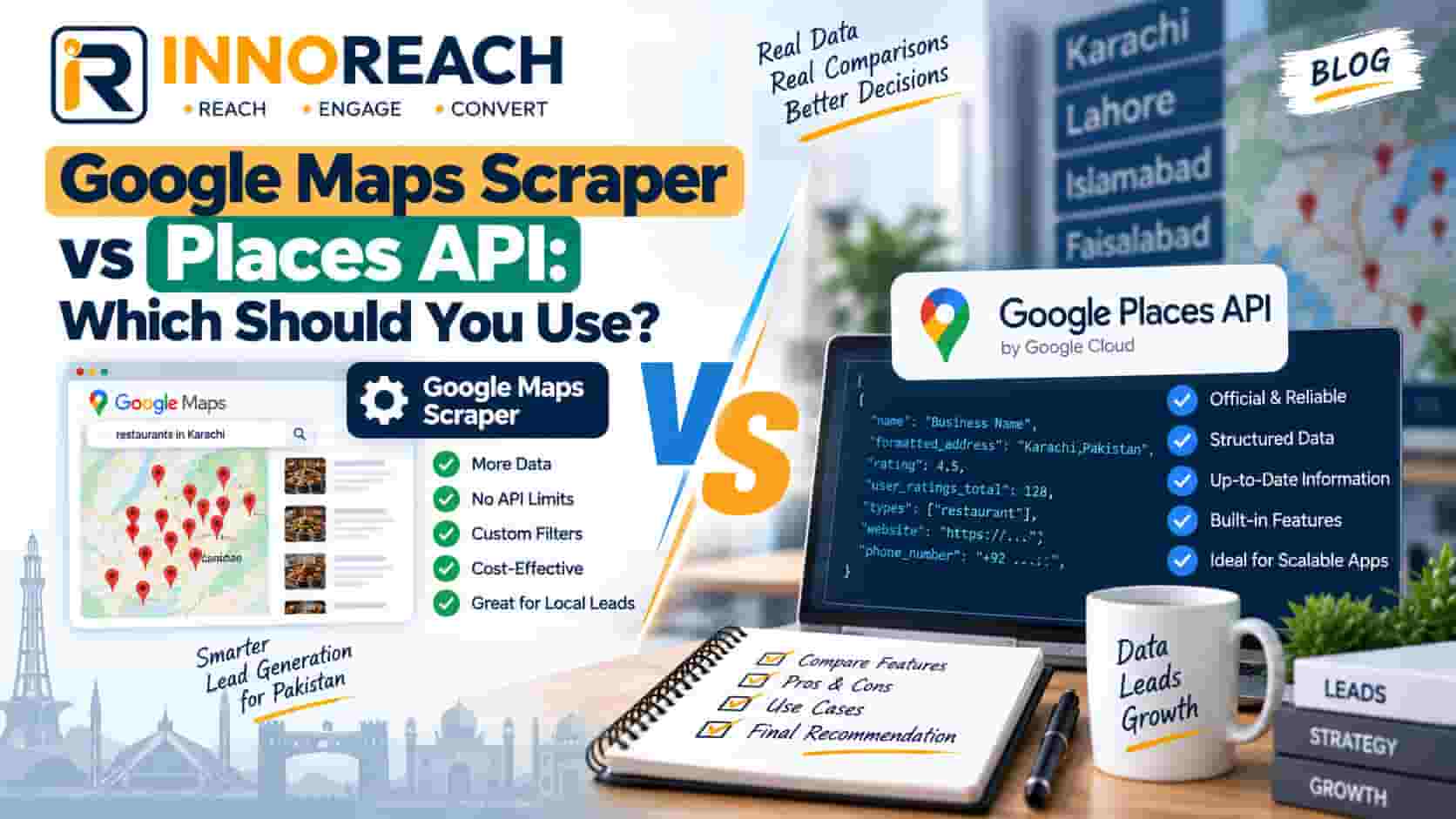
Two ways to get business data out of Google Maps at any scale. One is a browser extension that reads the results page you are already looking at. The other is the Places API, Google's own paid service that returns the same listings to your code.
People argue about which is better as though it were one question. It is really two: what are you trying to do, and is there a developer in the room. Answer those and the choice is usually obvious.
This is a fair comparison. We sell the extension, so treat our conclusions with the appropriate suspicion — but the API genuinely wins in several situations and we will say where.
What each one actually is
The browser extension
You open Google Maps, search for "pharmacies in Faisalabad", and the extension reads the results list in your browser as it scrolls. Each listing is parsed into structured fields and saved into your account.
Nothing is logged into. No Google account, no API key, no server. The extension sees the same page you see, which is the entire basis of the method — you were allowed to look at those listings, and it is reading what is on screen.
The InnoReach Chrome extension works this way. It is loaded in developer mode rather than installed from the Chrome Web Store, since we are not on the store yet; the installation guide walks through the four steps with screenshots. It takes a couple of minutes and requires no code.
The Places API
Google's Places API is a proper web service. You create a Google Cloud project, enable billing with a card, generate an API key, and then your code sends requests — a text search, a nearby search, a place details lookup — and gets JSON back.
It is designed for software. A food delivery app looking up restaurant addresses, a logistics system resolving a place ID to coordinates, a directory that needs to keep listings current. It is not designed for a salesperson building a call list, and using it for that means writing a program first.
Cost per 1,000 leads
This is where most comparisons become dishonest, in both directions. Two things make an honest side-by-side hard.
Google's pricing changes. Places API calls are priced per request in USD and revised periodically, with different rates for different call types and a monthly usage allowance that has itself been restructured more than once. Any specific figure quoted in an article ages badly, so check Google's current published rate before you budget. What is stable is the shape: you pay per request, and one lead usually costs you more than one request.
One lead is not one API call. A text search returns a page of results with basic fields. If you want the phone number and website — which for lead generation you obviously do — that is typically a separate details call per place. So a thousand leads is not a thousand requests; it is a search request per page plus a details request per business. Budget on that basis or you will be surprised.
Then there is the part nobody puts in the spreadsheet:
| Cost | Places API | Chrome extension |
|---|---|---|
| Per-lead charge | Metered per request in USD, rate set by Google and revised periodically | Flat PKR plan, 1 credit = 1 new unique business |
| Currency | USD, needs an international card | PKR, paid by bank transfer, Easypaisa or JazzCash |
| Developer time to start | Realistically a day or two for a working list builder | None |
| Ongoing maintenance | Yours, whenever Google changes the API | Ours |
| Duplicate charges | You pay for every request, including for businesses you already have | Dedup on place ID, duplicates never charged |
| Storage and CRM | You build it | Included |
The currency line matters more in Pakistan than it looks on paper. Google Cloud billing needs an international card, in USD, with the exchange rate and bank charges on top. Plenty of small agencies in Faisalabad and Gujranwala do not have a card that works for this, and the ones that do would rather not have a metered USD bill attached to their business. Paying a fixed PKR amount through Easypaisa or JazzCash is not a small convenience here; for a lot of buyers it is the difference between the thing being purchasable and not. Our pricing is set up that way for exactly this reason.
On the credit side, the dedup line is worth understanding. Because we fingerprint each business on its Google place ID, re-running "pharmacies in Faisalabad" next month charges only for the ones that opened since. With the API, every request is billed whether or not the place is already in your database, so you are paying to rediscover businesses you already own unless you build the dedup layer yourself.
What data each one returns
Here is the part that surprises people: the two routes return substantially the same fields, because they are describing the same listing.
| Field | Places API | Extension | Notes |
|---|---|---|---|
| Business name | Yes | Yes | |
| Phone number | Yes | Yes | API returns formatted and international variants |
| Full address | Yes | Yes | API also returns structured components |
| Category | Yes | Yes | Self-chosen by the business, noisy in both |
| Website URL | Yes | Yes | Present on maybe half of small-business listings |
| Star rating | Yes | Yes | |
| Review count | Yes | Yes | |
| Opening hours | Yes | Yes | |
| Latitude and longitude | Yes | Yes | |
| Place ID | Yes | Yes | The stable identifier both should dedup on |
| Email address | No | No | Google holds no email field at all |
| Owner or contact name | No | No | You get the business, not the person |
The email row is the one to read twice. The Places API does not give emails either. Not because Google withholds them, but because there is no email field in a Maps listing to return. Any tool that produces an email — ours included — got it by taking the website from the listing, visiting it, and reading the contact address published there. In our own runs across Pakistani cities that yields an email for somewhere between a fifth and a third of listings, and a business with no website will never have one, from us or from anyone. What you actually get breaks the coverage down field by field.
If a vendor tells you their API-based product has emails that a scraper does not, or the reverse, they are describing a website-crawling step and calling it something else.
The one real data difference is structure and freshness guarantees. API responses are typed, versioned, consistent, and come with defined behaviour when a field is missing. A parser reading a rendered page is at the mercy of Google's layout, which changes. In practice that means the API is the more dependable input for software that must not break at 3am, and the extension is fine for a person who will notice if something looks wrong.
Setup effort
Extension. Download, open the extensions page, switch on developer mode, load the folder, sign in. A couple of minutes, once. Then you are searching Maps as normal and pressing start. How it works shows the whole flow.
API. Google Cloud account, billing enabled with a card, project created, Places API switched on, key generated and restricted, then code: pagination handling, rate limits and back-off, a details call per place, field masks so you are not paying for data you do not need, deduplication, storage, and something to look at the results in. A competent developer gets a rough version working in a day and a reliable one in several. Then it is yours to maintain when Google revises the API, which it does.
That gap is the whole decision for most small teams. Not because the API is hard, but because a two-person agency in Lahore does not have a spare developer-week, and if it did, the week would be better spent on client work.
When the API genuinely wins
Four situations, and they are real.
You are embedding place data in your own product. A delivery app, a booking system, a directory, a CRM that resolves addresses. The user is not sitting there choosing searches; software is. An extension cannot serve that, and no amount of preference changes it.
You need continuous, unattended, programmatic access. A nightly job refreshing ratings across ten thousand listings does not want a browser tab open. That is exactly what an API is for.
Contractual certainty matters to you. The Places API comes with Google's terms of service, which define what you may cache, how long, and how you must attribute. If you are a company whose legal team needs a documented, officially sanctioned data source, that is a genuine and legitimate reason to choose it, and no argument about convenience beats it.
You need fields or precision the results page does not surface well. Structured address components, viewport geometry, place types as a controlled vocabulary rather than a display label.
If any of those describe you, use the API. Our own API and webhooks documentation covers how InnoReach exposes leads programmatically once they are in your account, which is a different thing — it is your collected data, on tap, not a substitute for Google's service.
When an extension wins
You have a sales team and no developer. This is the common case and it is not close. Reps need a list today, not a sprint.
You are building lists a person chooses. "Auto workshops in Ghulam Muhammad Abad" is a judgement, not a query in a loop. Somebody is deciding what to search, looking at what came back, and deciding what to search next. A browser is the natural place for that.
The list is the point, not the plumbing. You want leads with a status, a call log and a next-touch date, not JSON. The lead CRM is where leads land, and reps in the field work the same list offline in the Android app with GPS-stamped visits. Building that on top of the API means building a CRM, which is a project.
Volume is moderate and predictable. A few hundred to a few thousand new businesses a month, on a flat PKR plan, with duplicates never charged, is easier to budget than a metered USD bill.
You want to test the idea before spending. The free trial is 25 leads. Getting to your first 25 leads through the API means a card, a project, and code.
A simple way to decide
| Your situation | Use |
|---|---|
| Sales team, no developer, building call lists | Extension |
| One-off list for a campaign | Extension |
| Field reps who need leads on a phone | Extension |
| Place lookups inside an app you are shipping | API |
| Nightly automated refresh of thousands of listings | API |
| Legal requires an officially licensed data source | API |
| Agency doing both client work and its own outreach | Both, for different jobs |
Neither method escapes the result cap. Google limits how deep any one query goes, roughly 100 to 200 businesses for a city-wide search, and that ceiling applies to the API as much as to the results page. The way past it is more searches, split by neighbourhood and narrower category — not a cleverer tool. Anyone promising you every pharmacy in Lahore from one query is not being straight with you.
The honest summary
The Places API is a good product doing the job it was designed for, which is feeding place data to software. It is not a lead generation tool, and using it as one means building the lead generation tool yourself first.
A browser extension is a worse choice for anything programmatic and a much better one for a person with a list to build and calls to make this week.
Most of the arguments online are people who needed one comparing it unfavourably to the other. Work out which side of that line you are on and the decision takes a minute.
If you are on the sales side of it, the free trial includes 25 leads — enough to run one real search on your city and see what comes back. Start there, read the complete guide to Google Maps lead generation for the full method, or check the FAQ for the questions people ask us before buying.
Frequently asked questions
No. The Places API returns the same fields the listing itself holds — name, address, phone, website, rating, reviews, hours, place ID — and email is not among them, because Google does not collect or publish business emails. Any email you get from either route comes from visiting the business website afterwards, not from Google.
It depends entirely on volume and on what you count. The API is metered per request and billed in USD, revised periodically, so check Google's current rate before budgeting. For a sales team pulling a few thousand leads a month, a flat PKR subscription is usually simpler and cheaper once you include the developer time the API needs. At very high automated volumes the arithmetic can go the other way.
The Places API is Google's own product with terms that explicitly cover your usage, including caching and display rules you have to follow. A browser extension reads a page you were already viewing in your own browser, which is a different situation with no equivalent official blessing. If contractual certainty matters to your organisation, that is a genuine argument for the API.
Yes, and larger teams often do. The usual split is an extension for sales list building, where a person is choosing what to search anyway, and the API inside a product that needs to look up places continuously without anyone present. They solve different problems and there is no reason to pick one for both.
No. You install it once in developer mode, run a normal Google Maps search, and start it on the results page. The Places API is the opposite — it needs a billing account, an API key, code to call it, and somewhere to store what comes back, so it assumes a developer is available.
Neither does, and be wary of anyone claiming otherwise. Both the API and the results page limit how deep a single query goes. The way past it is the same in both cases — more searches, split by neighbourhood and by narrower category, rather than one broad query on a whole city.
Arshad Ali
Innobrains Technologies — we build InnoReach, and we sell with it too.
Keep reading
Is Scraping Google Maps Legal? Pakistan, EU and US
Two separate questions get muddled into one — collecting published business data, and contacting people afterwards. Here is how the landscape looks in Pakistan, the EU and the US.
18 Sep 2026 · 11 min
7 Google Maps Scraping Myths That Waste Your Credits
The seven wrong assumptions that burn a trial in an afternoon — what actually happens with emails, result caps, duplicates and the gap between a CSV and a pipeline.
07 Sep 2026 · 7 min
Google Maps Lead Generation: The Complete Guide
How to turn Google Maps into a working list of local business leads — finding them, getting a phone number that dials, calling, and following up until someone says yes or no.
06 Sep 2026 · 16 min